November release notes

This month we are rolling out updates that make discovering programmes effortless for participants and managing events smoother than ever for your staff.
Better Ways to Explore Activities and Find the Right Programme
We've made several updates to the Club Shop that make it easier to explore programmes with more confidence—and hopefully with a little less scrolling and squinting.
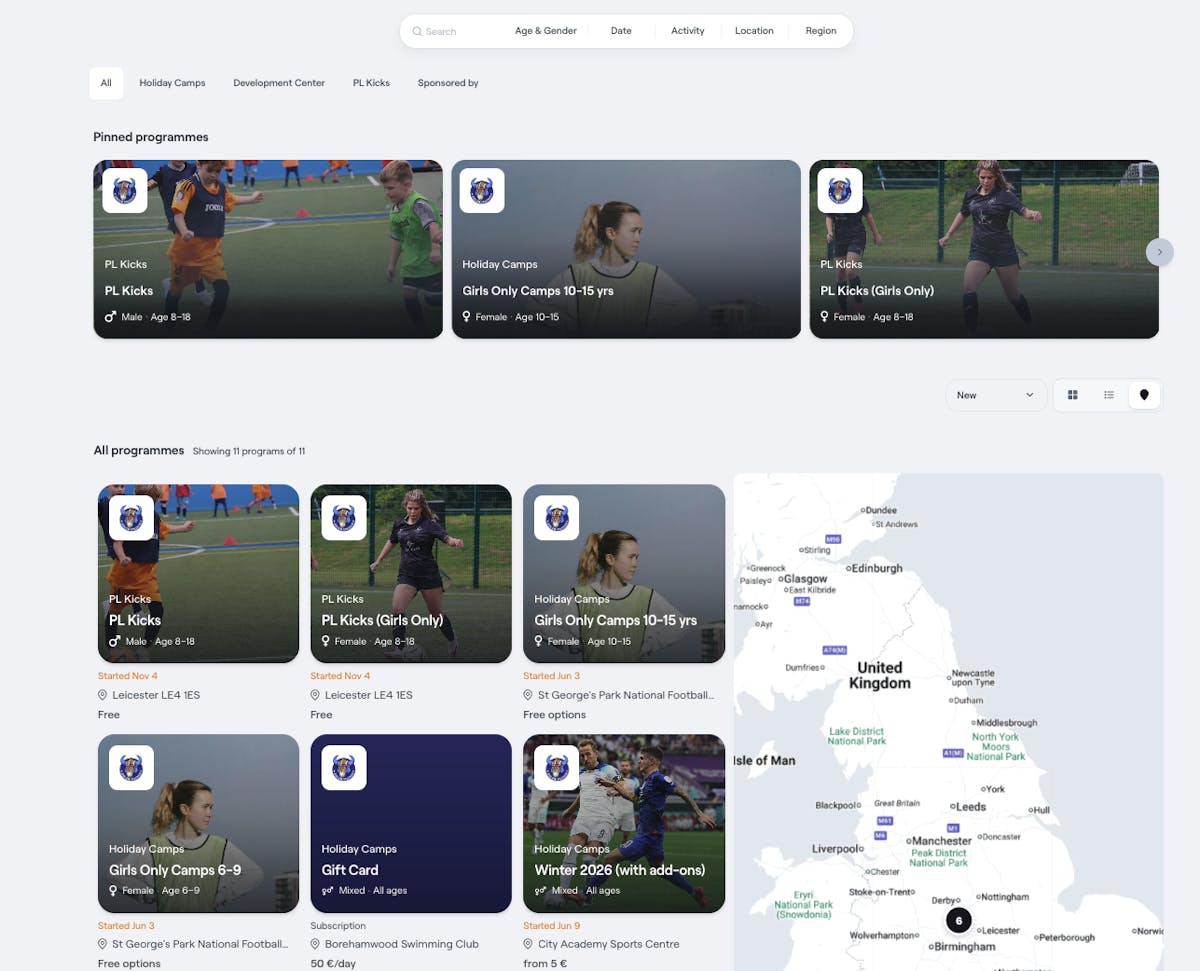
Map View for Programmes
You can now see all programmes on an interactive map. This makes it much easier to understand where activities take place and to choose the location that suits you best. You can also use the Find near me option to quickly discover programmes close to your location.
New List View
We've introduced a cleaner and more structured list view. It shows key details such as location, age, gender, start date, and price in a way that is easy to scan. Perfect for anyone who loves making quick comparisons between programmes.
Improved Navigation and Filters
You can, as before, explore programmes by age, gender, date, activity, and location. Now we've added an option where programme providers can add their own custom filters as well, giving you more flexibility to showcase what makes your programmes unique.
If you're signed in, you can filter by programmes that match you or your children, giving you a personalised experience without needing psychic abilities. You can also sort by new or trending programmes, which helps you spot what's popular right now or what just arrived fresh from the oven.
New Entrance Page with QR Code Authentication
We're introducing a new feature that simplifies and speeds up member authentication at your venues.
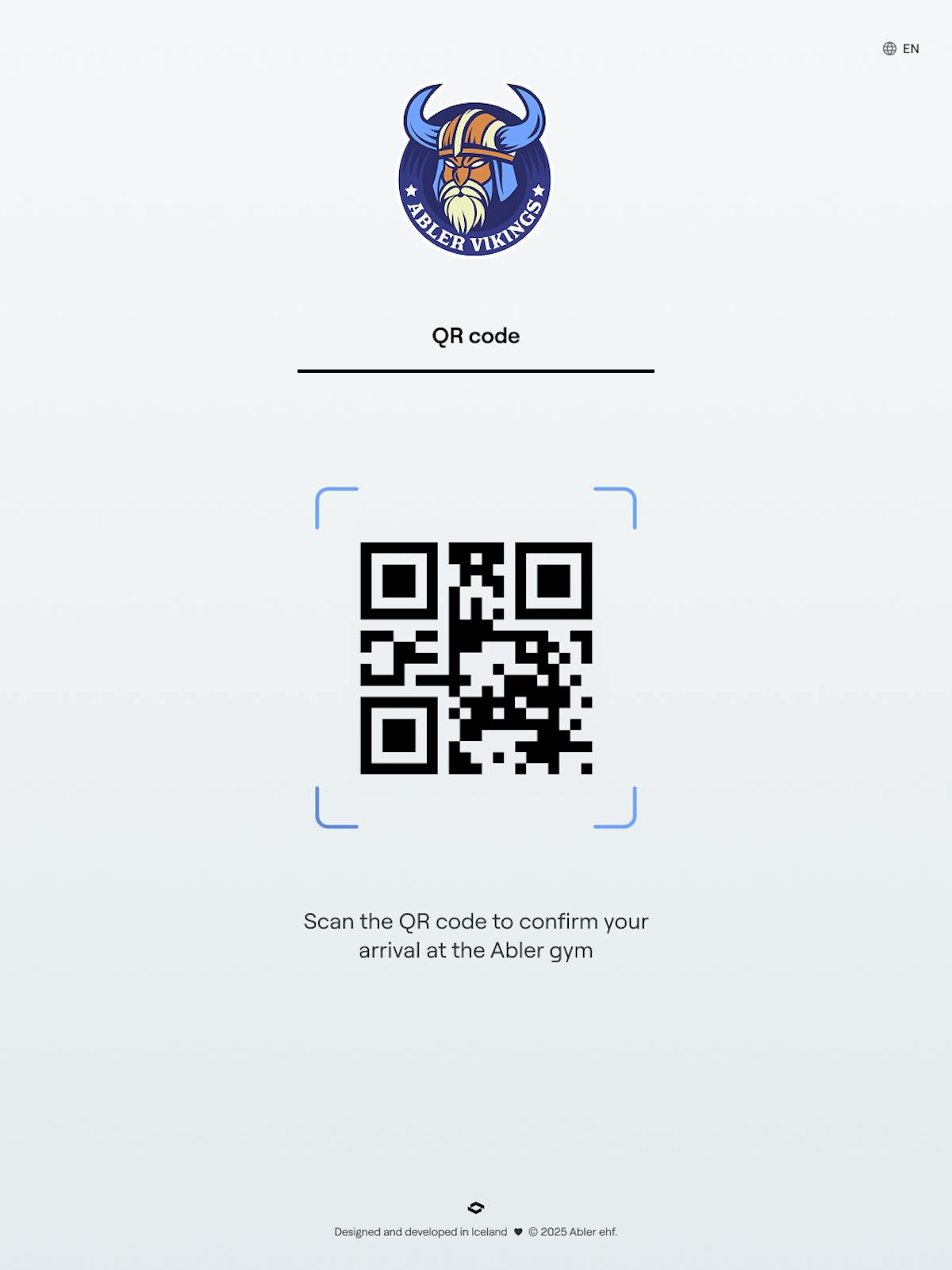
On the entrance page where members currently authenticate with their ID number, you can now offer an alternative authentication method through QR codes.
How It Works:
- A member takes out their phone and scans the QR code on the screen, either through the Abler app or directly from their camera
- The Abler app checks whether the member has an active subscription, logs them in, and opens the gate (if connected to Abler)
The process is fast and straightforward. The QR code refreshes every 30 seconds, so it can't be photographed and used later.
In the Admin system, you can configure whether you want to offer authentication with ID numbers, QR codes, or both. We recommend keeping both options available initially, as it may take some time for the app to update for all members.
Find the settings under: Club Settings > Appearance > Entrance Page
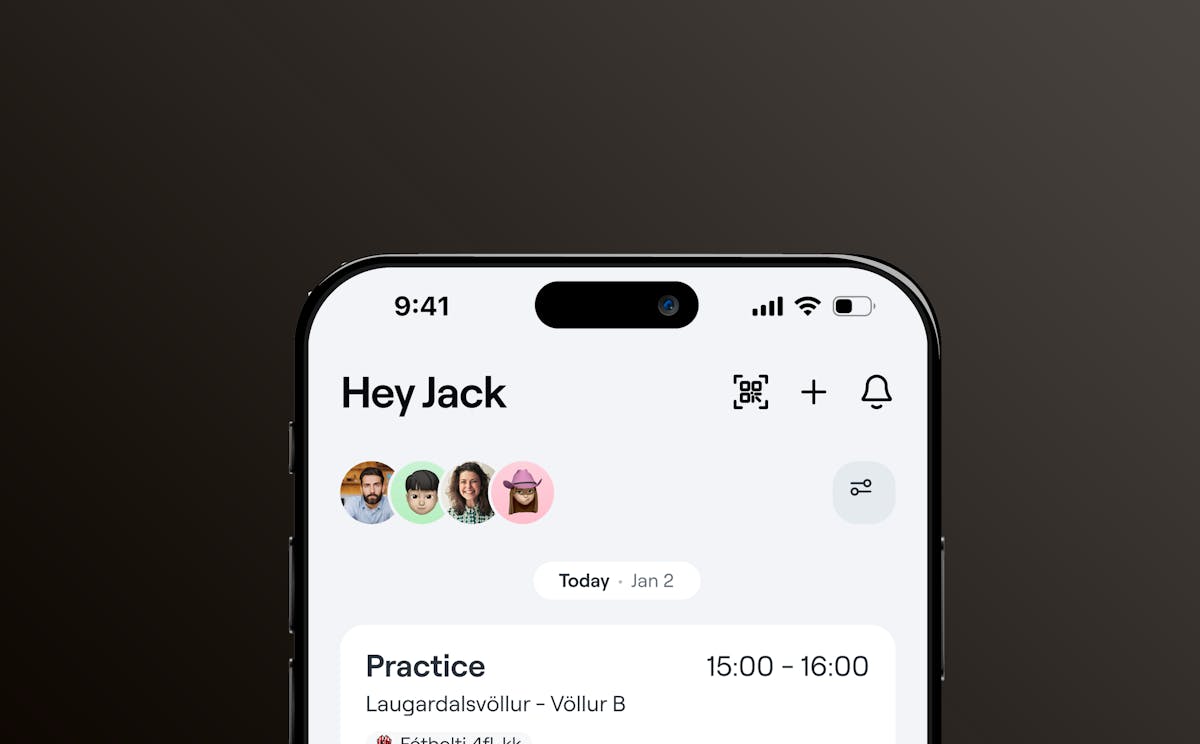
Improved Event Management in the Abler App
We've updated the event management experience in the Abler app to make it easier for your staff to register participants and manage attendance on the go.
What's New:
Enhanced Add Member Flow: We've improved the process for adding members to events and included a participant counter directly on the event details screen, giving you immediate visibility of attendance numbers.
Floating Action Button: The action button has been moved from the top-right corner to a more prominent floating button.
These updates mean your coaches and venue staff can spend less time navigating the app and more time engaging with participants.
Available Now
All these features are available across the Abler platform. The entrance page QR authentication can be configured in your Admin settings, and the new Club Shop views and filters are live for all programme providers and participants.