Abler App 4.0.9: Clear attendance, multi-group posts, redesigned forms, and more

We're excited to announce version 4.0.9 with updates designed to streamline your daily operations and improve communication across your programs.
Clear Attendance on Events
Coaches can now reset and mark attendance just like a traditional paper list, giving you complete control over session attendance tracking.
What is Clear Attendance?
Clear attendance allows coaches to reset the attendance list for an event, providing a clean slate to accurately mark who is actually present at the session, regardless of whether members previously responded as going, not going, or didn't respond at all.
What happens when you reset attendance?
- What happens when I reset?
- Player/Guardian/Coach status is preserved: Any status previously set by a member, guardian or a coach will be preserved.
- Default to Absent: Cleared entries will appear in gray. If a coach does not manually update these entries by the end of the session, they will automatically default to 'Absent'.
How to clear attendance:
- Open the Abler app and tap the blue checklist icon on the event
- Tap the three-dot/settings icon to open event actions
- Tap Clear attendance and confirm by selecting Yes, reset attendance

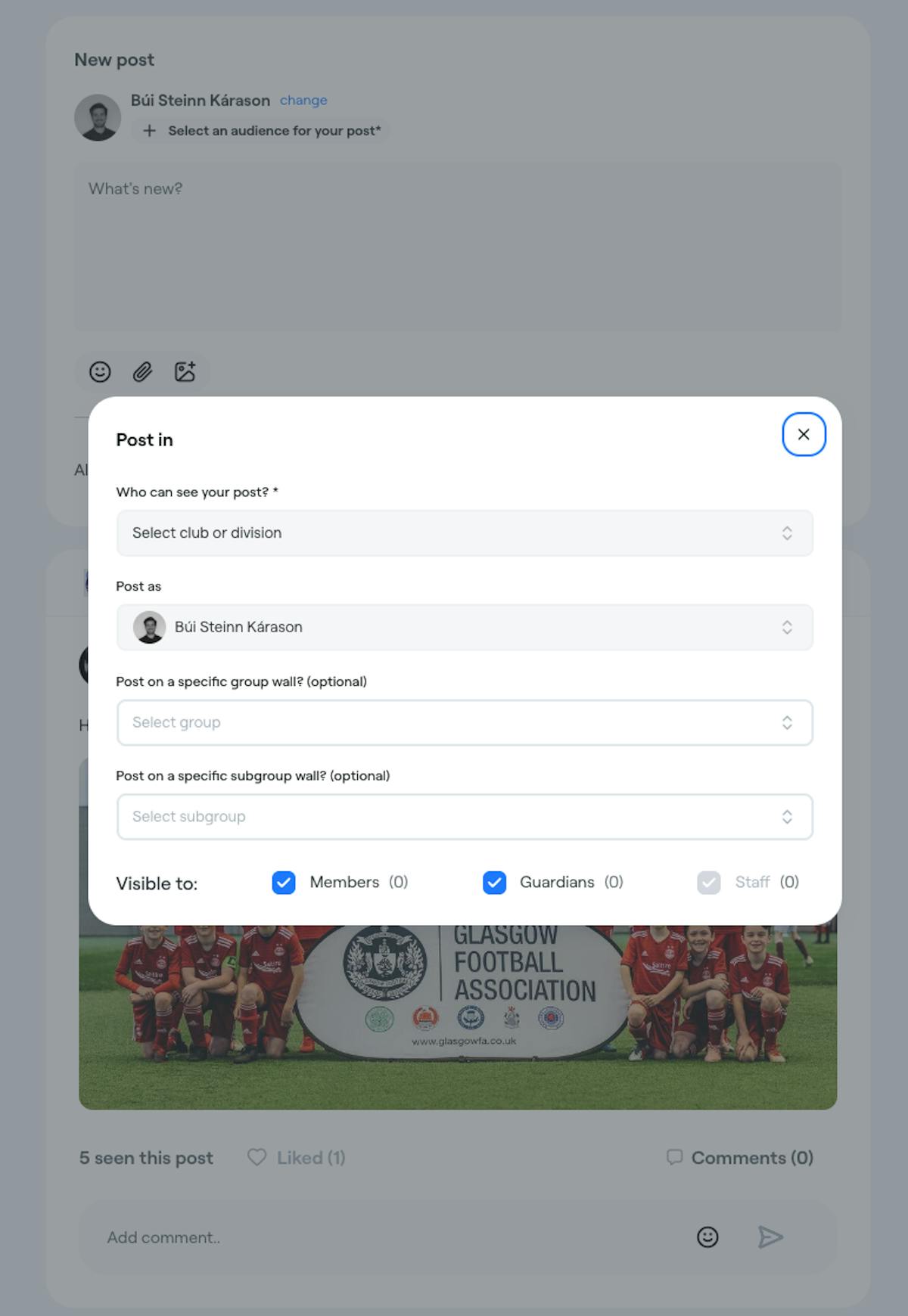
Post to Subgroups
Share updates with specific subgroups within your age groups for more targeted communication.
Previously, posts could only be sent to entire age groups. Now you can select specific subgroups, making it easier to communicate with the exact audience you need to reach - whether that's a specific training squad, ability level, or any other subgroup you've created.
New: When selecting subgroups, you'll see a 'Done' button in the top right corner for easier navigation (matching the location selector experience).
Multi-Group Posts
Post to multiple age groups simultaneously - a huge time saver for coaches and administrators managing several groups.
Instead of creating the same post multiple times for different age groups, you can now select multiple age groups at once and share your message across all of them with a single post. One message, multiple groups, zero repetition.
Redesigned Event Forms
Our event creation and editing forms have been completely rebuilt from the ground up for a significantly improved experience.
What's new:
- All event types updated: Training, Match, Event, and Class forms have all been redesigned with improved layouts and functionality
- Better data protection: If you've entered information in a form and attempt to navigate away, you'll now see a confirmation prompt asking "Are you sure?" to prevent accidental data loss
- Improved resource selector: The resource selector now behaves more intuitively, matching the previous experience users were familiar with
- Enhanced permissions: Assistants can now assign coaches to Classes directly
Additional Improvements
- Messaging from attendance: You can now create group chat directly from the attendance list filtered by response. For example, you can message everyone that has not responded to remind them to do that!
Update Now
Version 4.0.9 is available now. Update your Abler app to access all these new features and improvements.
Questions about any of these updates? Contact our support team or check out our help documentation.